DXGI-Accelerated Screen Capture
Captures the game screen via a DirectX (DXGI) DLL at ~1-3ms per frame with automatic GDI BitBlt fallback. No game memory access, code injection, or file modification — purely reads screen pixels.
Loading...
Undetected Albion Online auto loot macro — professional color-based auto looter for PVP. Fast DXGI screen capture with smart pixel analysis detects only lootable items, filters broken gear and empty slots automatically. Advanced human-like mouse movement with Bezier curves, hesitation, and Gaussian jitter. Real-time overlay, setup wizard, and full timing controls. The best Albion auto looter for ZvZ, Corrupted Dungeons, and open world PVP looting.
Instant
Delivery
Lifetime
Updates
Captures the game screen via a DirectX (DXGI) DLL at ~1-3ms per frame with automatic GDI BitBlt fallback. No game memory access, code injection, or file modification — purely reads screen pixels.
Classifies every loot slot as valid (item to pick up), broken (red-tinted unusable item), or empty (parchment background) using configurable RGB thresholds per type. A C extension DLL provides ~1ms mask building for instant results.
Instantly recognizes the gold close button the moment a loot window opens and begins looting automatically. Continuously holds Shift while looting and releases it when the chest closes — zero manual intervention needed.
Every mouse movement follows a smooth cubic Bezier curve with S-curve control points, random waypoint deviation, gentle lateral wobble, and per-step tremor — no straight-line teleportation. Intensity is adjustable from 0.0 (robotic) to 0.50+ (exaggerated).
Occasionally overshoots the target and glides back like a human correcting aim. Random hesitation pauses before clicking and adaptive click intervals that vary naturally from click to click — never the same pattern twice.
Every click lands at a slightly different position inside the slot, clustered near the centre via Gaussian distribution. Configurable jitter margin and sigma divisor ensure ~95% of clicks land safely inside the slot boundaries.
A transparent overlay draws colored rectangles on every detected slot — green border for valid items, red with cross for broken, white outline for empty. Update in real time as the chest contents change (default: F4/Ctrl+X).
Always-on-top "LOOTING: ON/OFF" text with a "Window open" indicator sits in the top-left corner of your game screen. You always know at a glance whether the tool is active and looting.
Automatically detects which monitor contains the Albion game window and creates the overlay there. The overlay can be hidden entirely from settings without stopping the looter, and uses color-key transparency for click-through.
A 5-step guided calibration runs directly on your game overlay. Step through scan region, slot size, column stride, vertical stride, and close button alignment with live visual guides. Confirm with F8, skip with F9, go back with F7.
Press the probe hotkey (default F5) to hover over any pixel and read its exact RGB coordinates. Use this to fine-tune color detection thresholds for empty slots, broken items, and the gold close button — essential if the game's visuals change.
5 built-in resolution presets (3440x1440, 1920x1080, 2560x1440, 2560x1080, 3840x2400) with automatic matching. Save, load, and delete custom user profiles for different characters or monitor setups — switch between them instantly.
Configure click interval (min/base/max with adaptive variance), mouse hold duration, hesitation chance and length, post-click settle time, and move settle time. Each parameter has a tooltip explaining what it does and when to change it.
Fine-tune movement speed (fraction-based with extra random range), Bezier arc intensity (0.0 straight to 0.50+ exaggerated), overshoot chance and distance, and glide-back step count — dial in exactly how human-like you want the movement to look.
High-resolution Windows timer (1ms), pre-allocated GDI objects reused across captures, cached virtual desktop metrics, and a C extension for ~1ms mask building. Debug timing mode prints per-click and per-scan breakdowns for troubleshooting.
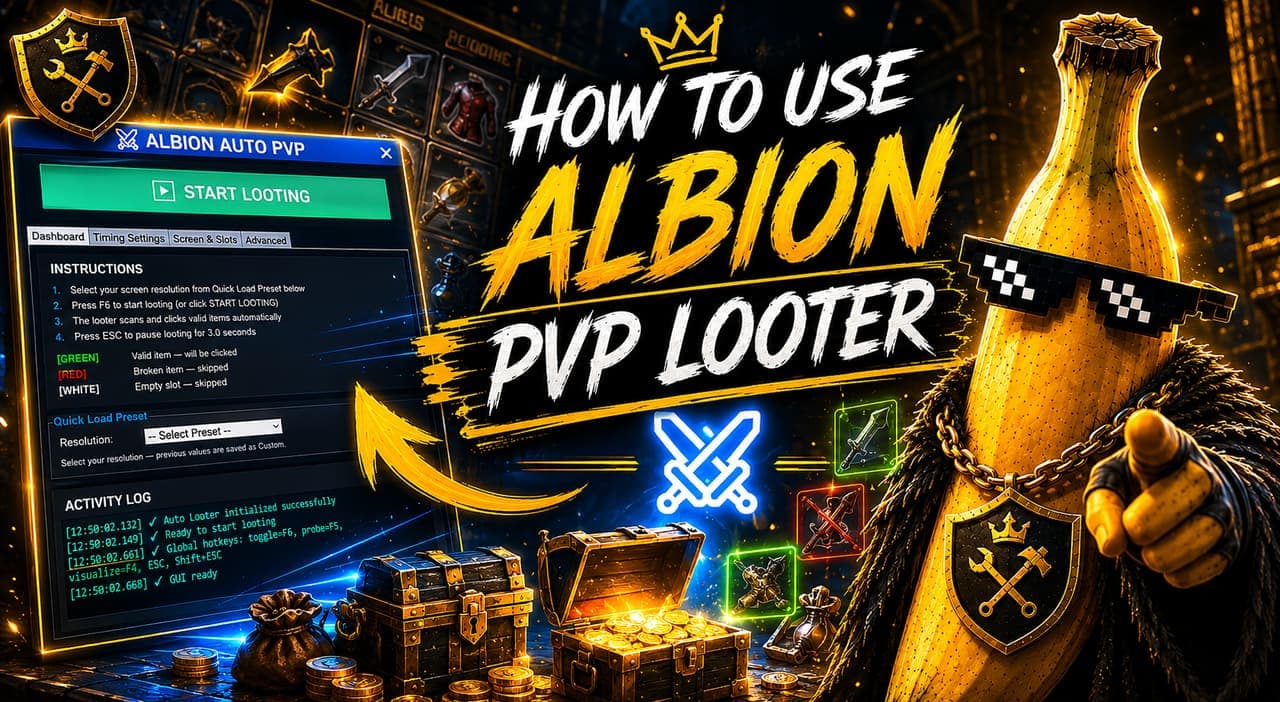
Feature-rich Tkinter interface with a Dashboard tab (start/stop, preset selector, info panel, live log), Timing Settings tab (6 config groups), Screen/Slots tab (calibration tools), and Shortcuts/Advanced tab (hotkeys, EXE randomization, behaviours, language).
Bind toggle (loot on/off), probe, and visualize to any key via the dedicated shortcuts tab. ESC clears the overlay, Shift+ESC pauses with auto-resume. EXE name randomization renames the executable to a random 8-letter string on each launch.
The full UI is translated into English, Turkish, German, French, Spanish, Portuguese, Russian, Polish, Italian, Chinese, Japanese, and Korean. Switch languages instantly from settings — the entire interface rebuilds in place.
The tool uses DirectX (DXGI) screen capture to read the game screen in real time — much faster than traditional methods. It scans the loot window using color detection to figure out what each slot contains (valid item, broken item, or empty), then clicks only on the items worth picking up. Everything works by reading the screen pixels — no memory or game file modification involved.
Step-by-step walkthrough for installing and configuring the Albion Online Auto PVP Looter. Covers resolution setup, hotkey configuration, wizard calibration, and timing tuning for optimal performance.
In-depth comparison of the Albion Online Auto PVP Looter vs manual looting. Speed benchmarks, accuracy analysis, safety comparison, and when each approach wins in PVP.
Compare manual looting vs automated looting with the Albion Online PVP Auto Looter. See the time difference, efficiency gains, and how automated looting lets you focus on gameplay.
Instant Delivery • Lifetime Access


The Banana Advantage
Built by players, for players. Powerful automation systems backed by real support and a growing community.
Built with security-first systems, constant updates, and stable automation architecture.
Instant delivery after payment with no waiting or manual approvals.
Feature requests, bug reports, and updates directly through Discord.
Frequent patches, fixes, and improvements across the entire tool suite.
Payments
Delivery
Support
Access
No reviews yet. Be the first to review this product!